

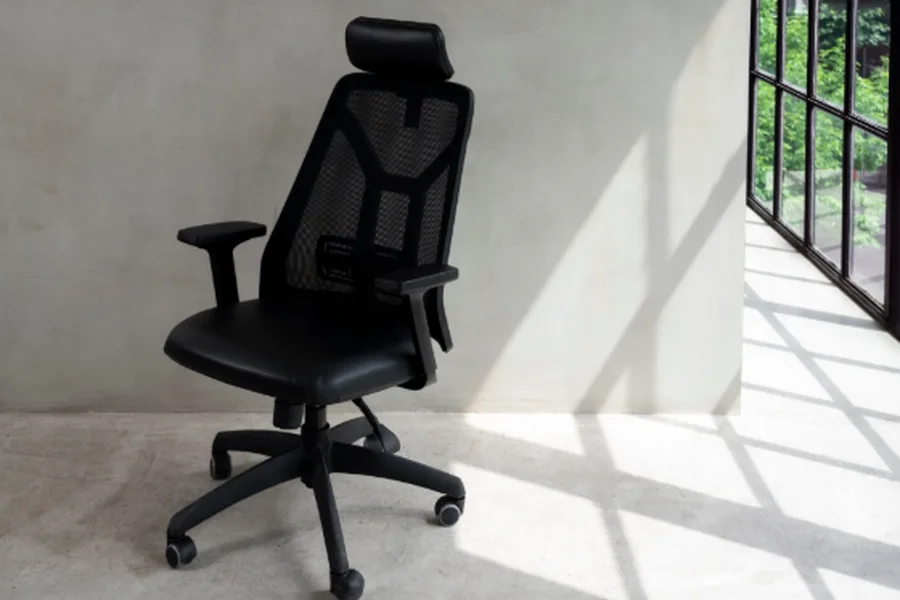
Spending long hours at a desk has become part of everyday life for many people. Whether you work from home, spend your day in an office, study for extended periods, or enjoy gaming in your free time, sitting for prolonged periods can place considerable strain on your back, neck, shoulders, and hips. A Razer computer chair combines ergonomic support with premium design features to help improve comfort and posture during extended work or gaming sessions. This is why choosing the right computer chair is more than just a matter of comfort; it is an investment in your health and productivity.
With so many computer chairs available, it can be difficult to know which features are genuinely important. While appearance and price often influence buying decisions, the best chair is one that provides proper support, encourages good posture, and remains comfortable throughout the day.
Why Your Computer Chair Matters
Many people underestimate the impact a chair can have on their overall well-being. Sitting in an unsupportive chair for several hours each day may contribute to poor posture, muscle fatigue, back pain, and reduced concentration.
A well-designed computer chair helps maintain the natural curve of the spine, supports the body evenly, and encourages healthier sitting habits. This can make daily tasks feel more comfortable while reducing unnecessary strain on joints and muscles.
Whether you use your desk for work, study, or leisure, selecting a supportive chair can improve both comfort and long-term wellbeing.
Look for Proper Ergonomic Support
One of the first things to consider when choosing a computer chair is its ergonomic design.
An ergonomic chair is designed to support the body’s natural posture while allowing adjustments to suit different users. Since no two people have the same body shape or sitting preferences, adjustability plays an important role in achieving a comfortable seating position.
Features such as adjustable seat height, backrest angle, lumbar support, and armrests allow users to personalise the chair to their individual needs. The more adaptable the chair is, the easier it becomes to maintain a healthy sitting posture throughout the day.
Lumbar Support Is Essential
The lower back naturally curves inward, and maintaining this curve while sitting helps reduce pressure on the spine.
A computer chair with effective lumbar support helps fill the gap between the lower back and the chair, encouraging proper spinal alignment. Without adequate support, users Marathiukhanee.com may gradually begin to slouch, leading to discomfort and fatigue over time.
Some chairs include built-in lumbar support, while others offer adjustable lumbar systems that can be positioned to match the user’s body.
Choosing a chair with suitable lower back support is one of the most important factors for long-term comfort.
Seat Comfort and Cushioning
Comfortable seating is about more than simply having a soft cushion.
The seat should provide enough support to distribute body weight evenly without feeling excessively firm or overly soft. A seat that loses its shape quickly may become uncomfortable after only a short period of use.
The depth and width of the seat should also suit the user’s body size, allowing sufficient support while leaving a small gap between the edge of the seat and the back of the knees.
Quality cushioning contributes to better comfort during extended periods of sitting.
Breathable Materials Improve Comfort
The material used on a computer chair affects both comfort and maintenance.
Mesh backrests have become increasingly popular because they promote airflow, helping users remain cooler during long working sessions. Fabric upholstery provides a soft seating surface and is available in many different styles, while leather and synthetic leather offer a premium appearance and are generally easy to clean.
The most suitable material depends on personal preference, climate, and intended daily use.
Adjustable Armrests
Armrests play an important role in reducing strain on the shoulders and upper body.
When adjusted correctly, they allow the arms to rest comfortably while keeping the shoulders relaxed. Poorly positioned armrests may cause users to elevate their shoulders or lean awkwardly, increasing muscle tension throughout the day.
Some computer chairs provide adjustable height, width, and angle, allowing greater flexibility for different working positions.
Mobility and Stability
A quality computer chair should move smoothly while remaining stable.
Most modern chairs include caster wheels that allow users to move easily around their workspace without excessive effort. A strong five-point base generally provides better stability than designs with fewer support points.
If your workspace includes hard flooring or carpet, choosing wheels suited to the floor surface can improve movement while helping protect the flooring.

Consider Your Daily Routine
Before purchasing a computer chair, think about how many hours you typically spend sitting each day.
Someone who works at a desk for eight or more hours may benefit from investing in a chair with more advanced ergonomic features than someone who only uses a desk occasionally.
Similarly, people who regularly alternate between typing, reading, video meetings, and other tasks may appreciate a chair that offers greater adjustability throughout the day.
Selecting a chair that matches your daily routine often results in greater long-term satisfaction.
Quality and Durability
A computer chair is a product that is likely to be used every day, making build quality an important consideration.
Frames made from durable materials, reliable adjustment mechanisms, and high-quality upholstery often provide better long-term value than cheaper alternatives that may wear out quickly.
Checking the manufacturer’s warranty and reading customer reviews can also provide useful insight into the chair’s reliability and durability.
Although a quality chair may involve a higher initial investment, it can remain comfortable and supportive for many years.
Conclusion
Choosing the right computer chair involves far more than selecting a design that looks attractive. A supportive chair should encourage good posture, provide proper lumbar support, offer sufficient adjustability, and remain comfortable throughout extended periods of sitting.
By carefully considering ergonomic features, seat comfort, materials, build quality, and your own daily routine, you can find a computer chair that supports both your productivity and your long-term wellbeing. Investing in the right chair today can make a noticeable difference to your comfort for years to come.
FAQs
What makes a computer chair ergonomic?
An ergonomic computer chair is designed to support the body’s natural posture while offering adjustable features such as seat height, lumbar support, armrests, and backrest positioning to improve comfort during prolonged sitting.
How long should a good computer chair last?
The lifespan depends on the quality of its materials and construction, but a well-made computer chair that is properly maintained can provide reliable support for many years.
Is a mesh or fabric computer chair better?
Both have advantages. Mesh chairs provide better airflow, while fabric chairs often offer softer cushioning. The best choice depends on your personal comfort preferences and working environment.
Do I need an expensive computer chair?
Not necessarily. The most important consideration is whether the chair provides suitable ergonomic support, comfort, and durability for your daily needs rather than simply its price.
